

Introduction
The demand for a high-quality UX/UI design course in Chennai has skyrocketed as businesses prioritize seamless digital experiences. But learning design today isn’t just about theory—it’s about mastering tools that accelerate creativity and productivity. This is where Stitch with Google AI comes in.
If you’re looking to build a career in UX/UI design or upgrade your skill set, integrating AI-powered tools like Stitch AI into your workflow can give you a serious competitive edge. In this guide, we’ll explore how Stitch AI enhances design learning, why it’s essential for modern designers, and how you can get started today.
What is Stitch AI in UX/UI Design?
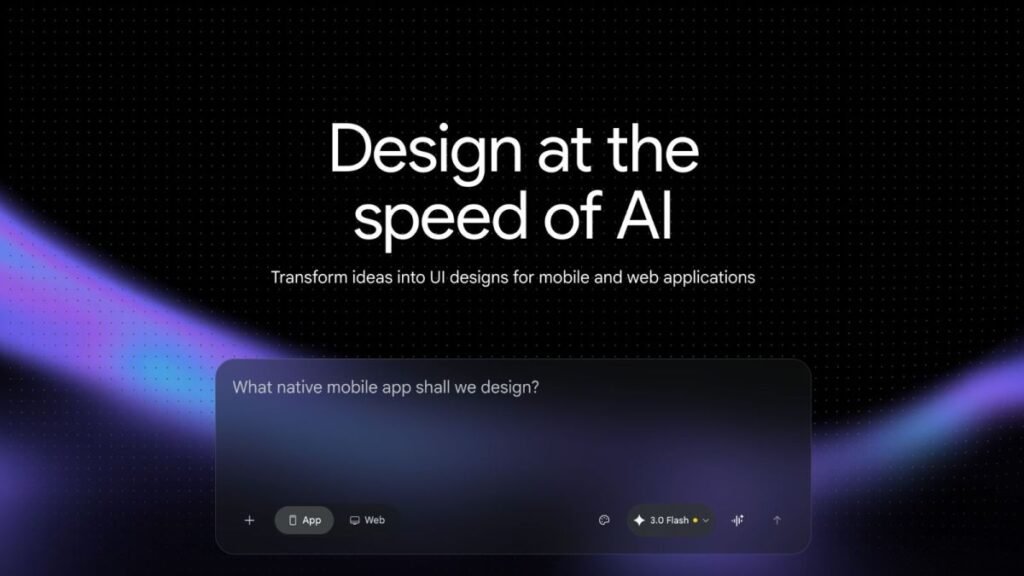
Stitch with Google AI is an advanced AI-powered design assistant that helps designers create, iterate, and optimize user interfaces faster than ever before. Unlike traditional tools, Stitch AI leverages machine learning to:
- Generate UI layouts instantly
- Suggest UX improvements based on best practices
- Automate repetitive design tasks
- Enhance collaboration between teams
Why Stitch with Google AI is a Game-Changer for UX/UI Design Courses in Chennai
1. Accelerates Learning Curve
One of the biggest challenges beginners face in a UX/UI design course is understanding how to translate ideas into real designs. Stitch AI simplifies this by:
- Providing real-time design suggestions
- Offering smart layout recommendations
- Reducing trial-and-error
This helps learners grasp concepts faster and build confidence early.
2. Enhances Creativity with AI Assistance
Instead of staring at a blank canvas, designers can use Stitch AI to:
- Generate multiple design variations instantly
- Explore creative directions
- Refine ideas quickly
This is especially valuable for students who want to build strong portfolios.
3. Improves Productivity and Efficiency
In professional environments, speed matters. Stitch AI helps designers:
- Automate wireframing
- Create prototypes quickly
- Reduce repetitive tasks
For anyone taking a UX UI design course in Chennai, learning these efficiencies early can significantly boost career readiness.
4. Data-Driven UX Improvements
Stitch AI doesn’t just design—it analyzes. It can:
- Suggest UX improvements based on user behavior
- Highlight usability issues
- Optimize user flows
This makes it a powerful learning companion for understanding real-world UX principles.
How to Use Stitch with Google AI in Your UX UI Design Course
Step 1: Start with Fundamentals
Before diving into AI tools, ensure you understand:
- UX principles
- UI design basics
- User research methods
A strong foundation enhances how effectively you use Stitch AI.
Step 2: Integrate Stitch with Google AI into Projects
Use Stitch AI for:
- Wireframe generation
- UI mockups
- Design iterations
This helps you produce high-quality work faster.
Step 3: Build a Portfolio with AI-Enhanced Designs
Employers value practical experience. With Stitch with Google AI, you can:
- Create multiple case studies
- Showcase design variations
- Demonstrate problem-solving skills
Step 4: Collaborate and Iterate
Modern design is collaborative. Stitch with Google AI supports:
- Team feedback integration
- Rapid iteration cycles
- Improved communication
Benefits of Learning Stitch with Google AI for Your Career
Enrolling in a UX UI Design course in Chennai that includes AI tools like Stitch with Google AI can unlock numerous career opportunities:
- Higher employability
- Faster project delivery
- Stronger portfolio
- Competitive advantage in the job market
Companies are increasingly looking for designers who can combine creativity with AI-driven efficiency.
Who Should Learn Stitch with Google AI?
This tool is ideal for:
- Beginners starting a UX/UI Design course
- Freelancers looking to speed up workflows
- Professionals upgrading their design skills
- Product teams aiming for faster UI delivery
Learn UX/UI Design in Ovi Design Academy
Stay ahead in the design industry by mastering tools like Stitch AI.
Don’t just learn design—learn the future of design.
Join Free Demo Class – Career Guidance
FAQ
1. What is the best UX/UI design course for beginners?
The best course combines theory, practical projects, and tools like Stitch AI to provide real-world experience.
2. Is Stitch with Google AI suitable for beginners?
Yes, Stitch AI is designed to be user-friendly and helps beginners learn faster through guided suggestions.
3. Can Stitch with Google AI replace designers?
No, Stitch AI enhances creativity but doesn’t replace human decision-making and innovation.
4. How does Stitch with Google AI improve productivity?
It automates repetitive tasks, generates design ideas, and speeds up the design process.
5. Do employers value AI tools in UX/UI design?
Absolutely. Knowledge of AI tools like Stitch AI is becoming a highly desirable skill in the industry.
Get Started UX/UI design course with today in Ovi design Academy
Ready to transform your design workflow?
👉 Join a UX/UI design course that integrates AI tools for real-world learning.
Contact Us for Job Opportunities
Conclusion
The future of design lies at the intersection of creativity and technology. A modern UX UI Design course Chennai must go beyond traditional teaching and incorporate powerful tools like Stitch with Google AI
By leveraging AI, designers can work smarter, faster, and more creatively—unlocking new career opportunities and staying ahead in a competitive market.
🚀 Start your journey today at Ovi Design Academy and become a next-generation UX/UI designer with Stitch with Google AI.