
Figma Config 2026 was heavily focused on AI-powered design, motion, code integration, and creative tooling, pushing Figma beyond UI design into a complete product-building platform.
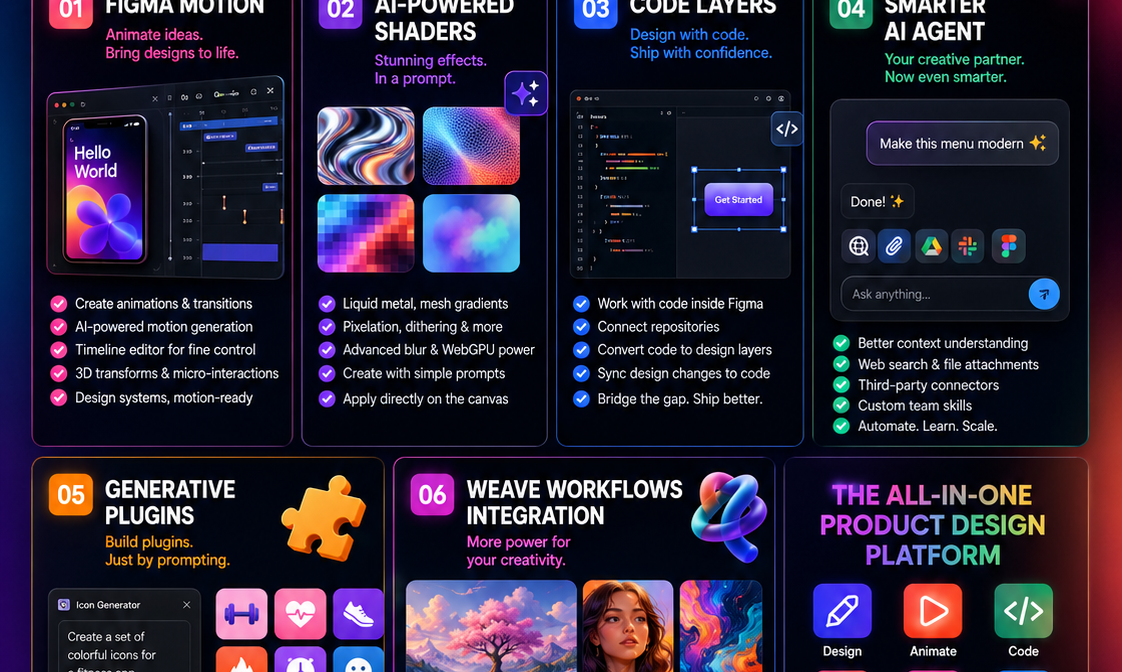
🚀 1. Figma Motion
A new animation and motion design tool built directly into Figma.
What it does:
- Create animations, transitions, and 3D transforms inside Figma
- Generate motion effects using AI prompts
- Fine-tune animations manually with a timeline editor
- Connected to design systems and production-ready code
Why it matters:
UX designers can now create micro-interactions and app transitions without jumping to After Effects, Principle, or ProtoPie.
🎨 2. AI-Powered Shaders
Figma introduced shader effects powered by WebGPU.
Examples:
- Liquid metal effects
- Mesh gradients
- Pixelation
- Dithering
- Advanced blur effects
Designers can generate these effects simply through prompts and apply them directly on the canvas.
💻 3. Code Layers
One of the biggest announcements.
Capabilities:
- Work directly with code inside Figma
- Connect to repositories
- Convert code into editable design layers
- Sync design changes back to code
Impact:
The gap between designers and developers becomes much smaller. Designers can understand and influence implementation without leaving Figma.
🤖 4. Smarter AI Agent
Figma’s AI assistant received major upgrades.
New Features
- Better context awareness
- Web search integration
- File attachments
- Third-party connectors
- Custom team skills
Teams can train the AI to perform repetitive design tasks consistently across projects.
🧩 5. Generative Plugins
Create plugins using prompts instead of coding.
Benefits:
- Build internal design tools quickly
- Automate repetitive workflows
- Share custom tools across teams
This opens plugin creation to non-developers.
🎭 6. Weave Workflows Integration
Figma expanded integration with its AI platform, Weave.
Highlights:
- 20+ AI-powered visual tools
- Generate assets directly in Figma
- Streamlined image and creative workflows
- More complete Weave integration coming later in 2026
Useful for marketing creatives, illustrations, and content production.
What This Means for UX Designers
Before Config 2026
Typical workflow:
- Figma → After Effects
- Figma → ProtoPie
- Figma → VS Code
- Figma → AI tools
After Config 2026
Much of this can happen inside Figma:
- Design
- Animate
- Prototype
- Generate assets
- Work with code
- Build custom AI workflows
Figma is positioning itself as an AI-native product development platform, not just a UI design tool.
Top 3 Updates Every UX Designer Should Learn
- Figma Motion – Future of interaction and micro-animation design.
- Code Layers – Closer designer-developer collaboration.
- AI Agent + Generative Plugins – Massive productivity gains for UX workflows.
For your UX Master Class students, the biggest takeaway is:
The future UX designer will need to understand AI workflows, motion design, and code-aware design systems—not just wireframes and UI screens.